 Songbrew
 guide · Page 2 of 5
Your first song
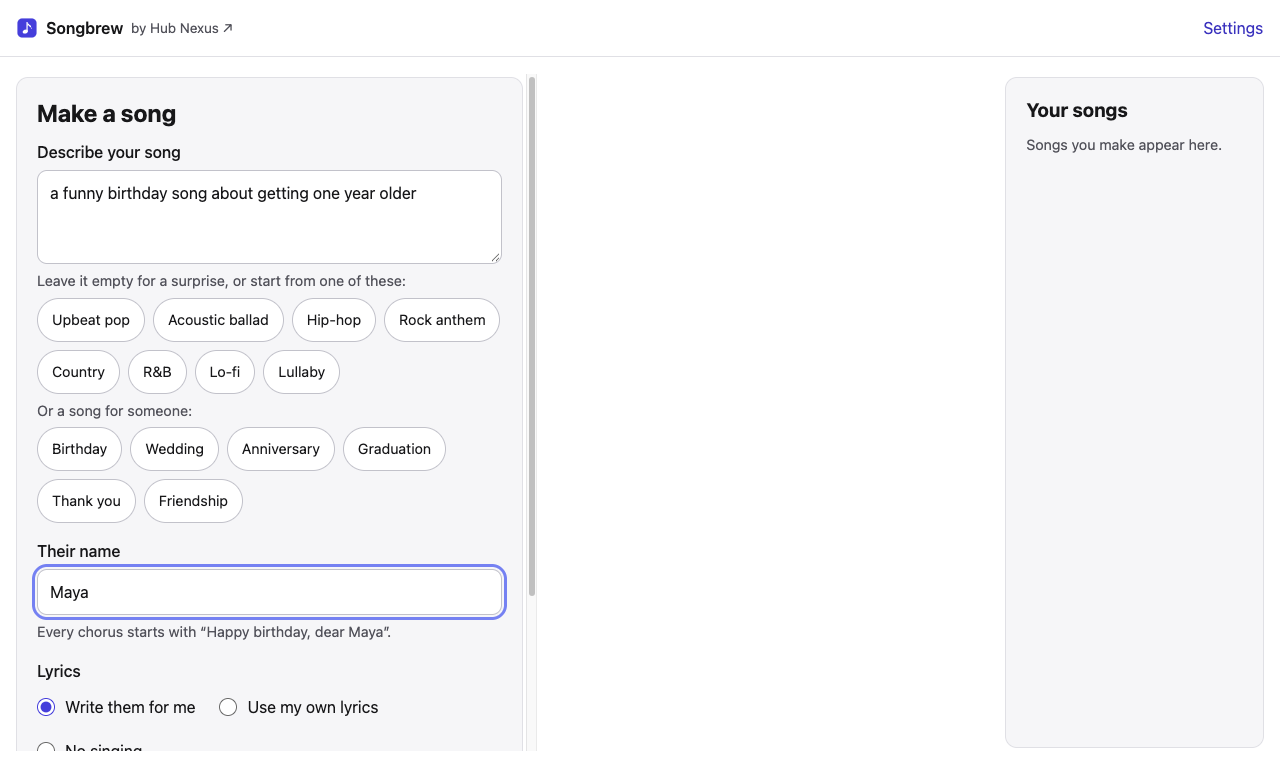
Songbrew's main screen has three parts: Make a song on the left, the song you're listening to in the middle, and Your songs on the right. The player stays at the foot of the window.
Steps
- Describe your song in a sentence, such as "an upbeat pop song about a summer road trip". Say the style, the mood and what it's about. Or leave the box empty for a surprise, or press one of the styles under it (Upbeat pop, Acoustic ballad, Hip-hop…), which fills the box for you; press it again for another idea in that style.
- A song for someone. Press an occasion (Birthday, Wedding, Anniversary, Graduation, Thank you, Friendship) and type their name. The box shows the line every chorus will start with, such as "Happy birthday, dear Maya", sung just as you typed the name.
- Lyrics. Write them for me has Songbrew write lyrics from your idea. Use my own lyrics sings yours as you wrote them; you can mark parts like
[Verse]and[Chorus]. No singing makes an instrumental. - Length. Let the song decide fits the length to the words; or choose about 1 to 4 minutes. With No singing, the lengths are exact, from 30 seconds to 4 minutes, and the music ends on its own: handy under a video.
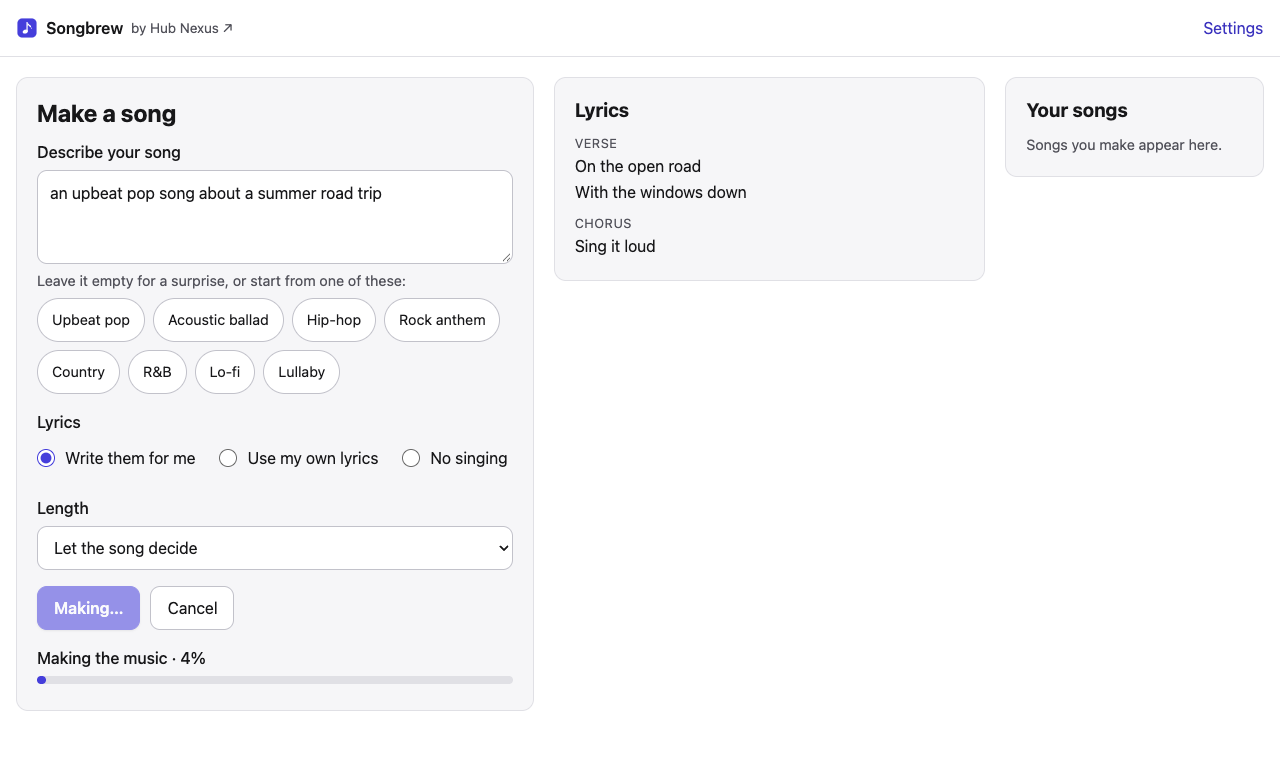
- Press Make song. First the lyrics are written and appear in the middle, then the music is made: the bar shows how far it is and about how long is left. Cancel stops it.
When the song is ready
It starts playing. The player bar at the foot of the window has play and pause, the time, the song's shape (press anywhere on it to jump there) and the volume.
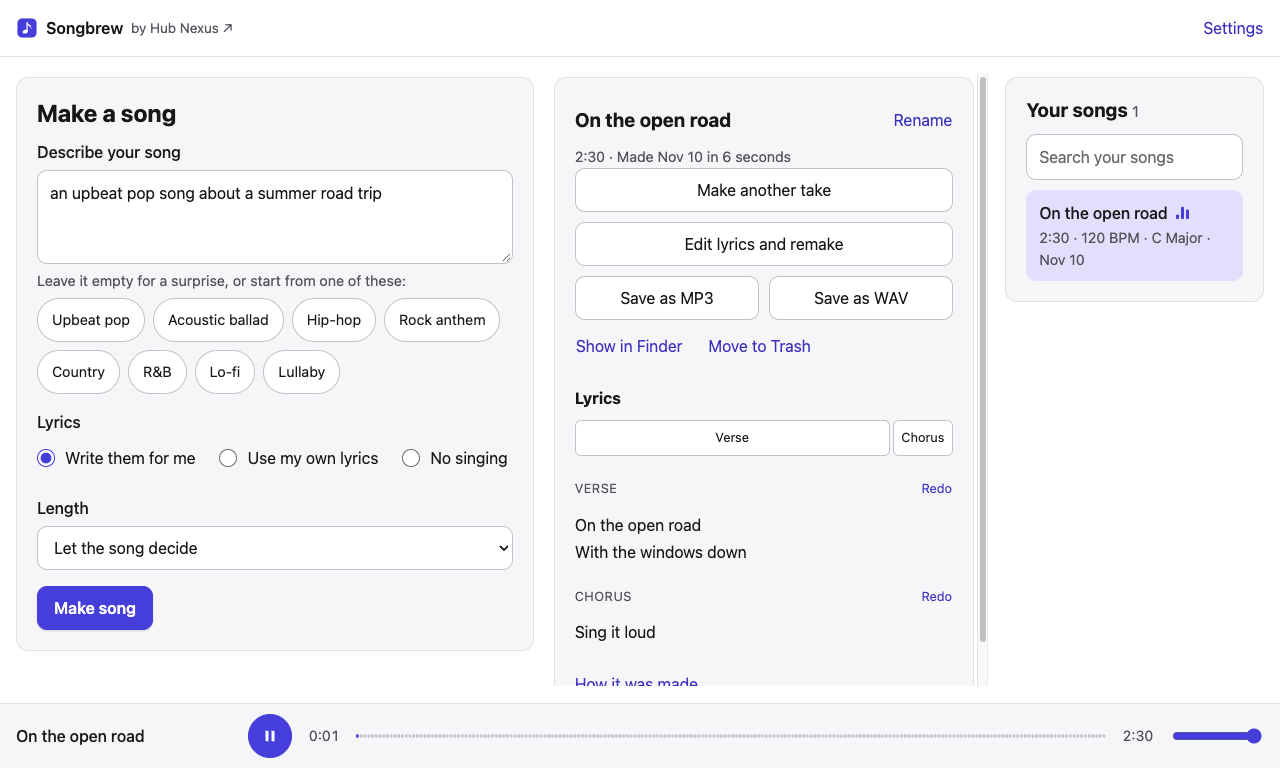
The lyrics light up line by line as they're sung; once Songbrew has listened to the take, the light follows the singer back to a part sung again. Press a line to play from where it's first sung. Above the lyrics, the song's parts (Verse, Chorus…) are shown as blocks sized to their length: press one to play from the start of that part.
Under the lyrics, How it was made shows the idea the song came from, its style, tempo and key, and the Songbrew version that made it.
Every song you make is kept, listed on the right; press one to play it again. The next page covers trying again: another take, redoing one part, or changing the words.