 Songbrew
 guide · Page 1 of 5
What it is, and what your computer needs
Songbrew is a free app for Mac, Windows and Linux that makes full songs with singing on your own computer. You describe a song in a sentence, or type nothing, press one button, and get a song with lyrics, a melody and a singer. There is no account, no credits and no cap on how many songs you make or keep. After a one-time download, it works without the internet, and nothing you type or make leaves the computer.
What a computer needs
Songs are made by music models that run on the computer's graphics chip, so Songbrew needs a recent one.
Mac
- An Apple chip (M1 or later)
- macOS 14 or later
- 16 GB of memory
- 20 GB of free space
A 3-minute song takes about 75 seconds on a MacBook Pro with an M3 Pro chip, lyrics included. Earlier chips take longer.
Windows
- An NVIDIA RTX 30 series graphics card or newer, with 8 GB of its own memory
- Windows 10 or 11, 64-bit
- 20 GB of free space
A song takes 15 to 30 seconds, depending on the card.
Linux
- An NVIDIA RTX 30 series graphics card or newer, with 8 GB of its own memory
- NVIDIA's driver, version 570 or later
- Ubuntu 22.04 or later, or another 64-bit Linux as recent
- 20 GB of free space
A song takes 15 to 30 seconds, as on Windows. An RTX 20 series card works too on Linux, more slowly: up to two minutes a song.
Not yet: Macs with Intel chips, older NVIDIA cards on Windows, and AMD cards. Songbrew checks the computer before it downloads anything and says so if it can't make songs there.
Install it
- Go to music.hubnx.com. The page offers the download for the computer you're on.
- Mac: open the downloaded file and drag Songbrew into Applications, then open it from there. Songbrew is signed by Hub Nexus and checked by Apple, so it opens like any other app. If you open it from inside the downloaded disk image instead, it offers to move itself to Applications; from there it can keep itself up to date.
- Windows: run the installer. If Windows says it protected your PC, choose More info, then Run anyway: Songbrew is new, and Windows warns about new apps until enough people have run them.
- Linux: the button downloads an AppImage, one file that runs on any Linux. Allow it to run as a program (in its Properties, or
chmod +xin a terminal), then open it. Kept in a folder of your own, it updates itself. On Ubuntu or Debian you can take the.debinstead, from the link under the button, and install it as you install other apps; a.debcopy tells you when a new version is out rather than updating itself.
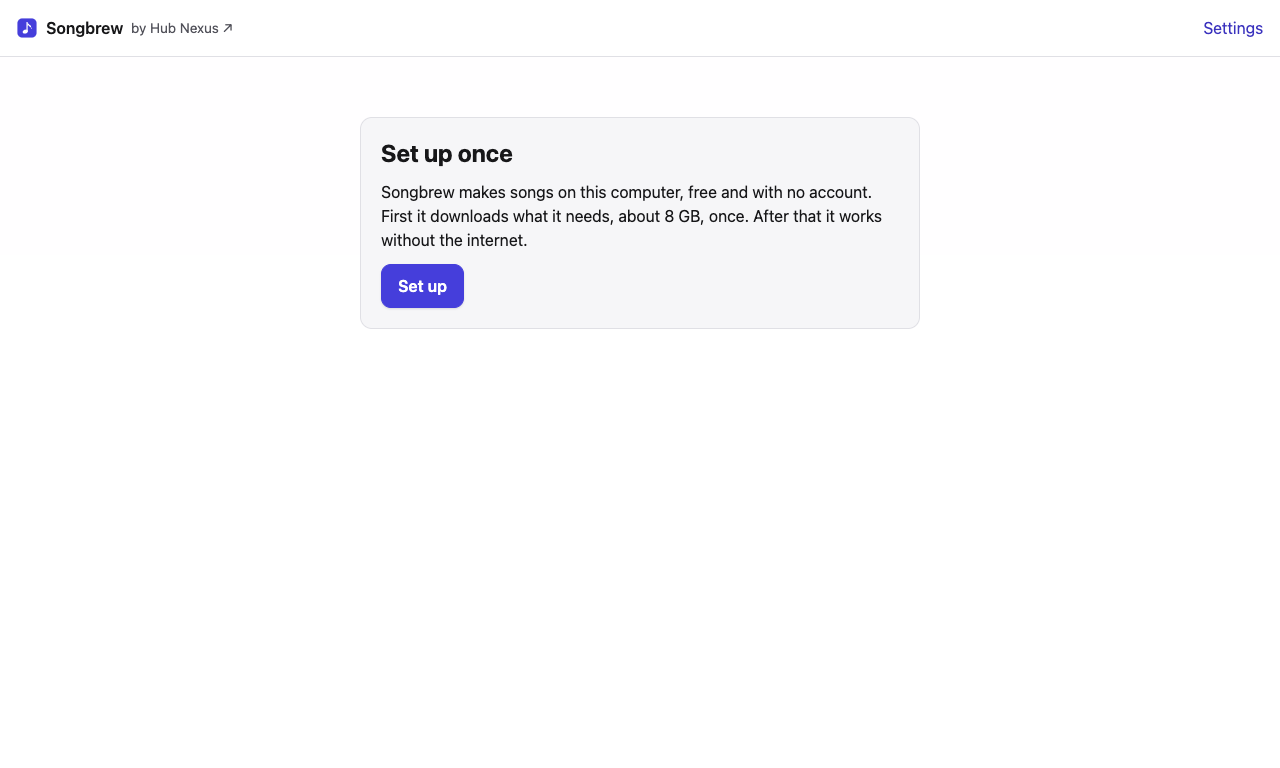
Set up once
The first time it opens, Songbrew shows what it needs and asks you to press Set up. It downloads the song engine's parts, the music models and the speech recogniser that checks each song's lyrics: about 10 GB on a Mac, 14 GB on Windows or Linux. You see the progress and the time left, and you can keep using the computer meanwhile. If the download stops, it picks up where it left off when you try again.
After that, every time Songbrew opens it loads the models, about a minute on an M3 Pro. You can type your idea meanwhile; the Make song button says Getting ready… until the models are in.
Songbrew keeps itself up to date: it checks for a new version when it opens and every few hours, downloads it in the background, and installs it the next time you quit, or at once if you choose Restart now.